Video Stream & Reel Downloader
4.074.00Reviews
Analysis ByAppCompare
I approached Video Stream & Reel Downloader as a social video utility rather than as a full replacement for a major social network. Its purpose is straightforward: help me watch and save favorite videos, while also letting me stream events live to Facebook. That combination makes it more interesting than a simple downloader, but it also means trust and user control matter as much as convenience. An app that handles saved media and live sharing deserves a careful look at what I choose to do, where I send it, and when I give it access to my accounts or content.
Developed by Zag Technology, this free social app has reached over a million installs and holds a 4.0 average from around nineteen thousand ratings. Those figures suggest that it has found a real audience, although they do not tell me whether it will fit every viewing or streaming habit. The app is available for everyone, runs on Android starting with version 6.0, and its current version is 1.4.4. Optional purchases range from $4.99 to $14.99 per item, so I would still check each purchase screen carefully before confirming anything.
How Video Stream & Reel Downloader handles trust and control
A useful tool when I keep the workflow deliberate
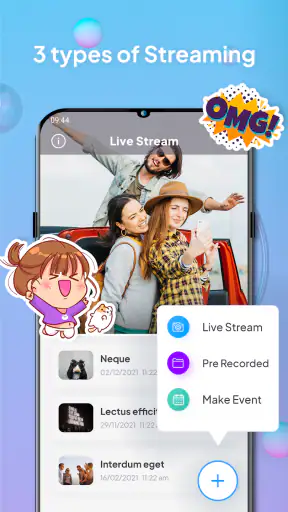
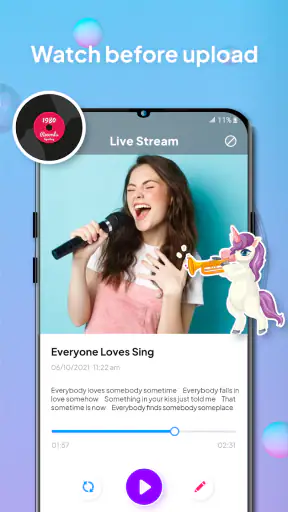
The strongest part of the concept is the separation between watching, saving, and live streaming. I can think of these as three different decisions instead of one broad “social media” experience. Watching is relatively passive. Saving creates a copy or stored item that I may later need to organize and remove. Streaming is active and public-facing, especially when Facebook is involved. Treating those actions differently helps me avoid the common mistake of granting broad access simply because I want to perform one quick task.
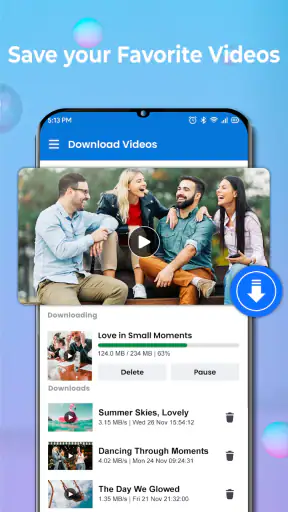
In everyday use, I would open the app when I want to keep a video for later reference rather than immediately share it. For example, I might save a short tutorial while connected to home Wi-Fi, then review it during a commute. The practical benefit is not just having a download button; it is being able to separate the moment I discover something from the moment I have time to watch it properly. That workflow is more controlled than repeatedly searching through a busy social feed.
At the same time, I would not treat every saved video as permanently mine. A saved copy can be useful for personal viewing, but rights, creator expectations, and platform rules still matter. I would use the app for material I am allowed to keep and avoid redistributing someone else’s work without permission. That is an important distinction because convenience can make it easy to forget where a clip came from.
What I would check before connecting Facebook
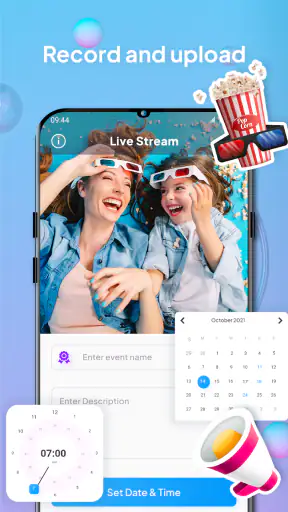
The live-streaming side deserves more caution than the saving side. Before starting an event, I would read the sign-in and connection screens instead of tapping through them automatically. I would confirm which Facebook account is selected, where the stream is intended to appear, and whether the audience setting matches the event. A private test or limited audience is a sensible first step if I am unfamiliar with the workflow.
This is especially important when several people use the same phone or when I manage more than one social account. A live broadcast sent to the wrong profile is not the kind of mistake I can quietly undo after the fact. I would also prepare the title, audience, and subject of the stream before going live, leaving fewer decisions to make while an event is already happening.
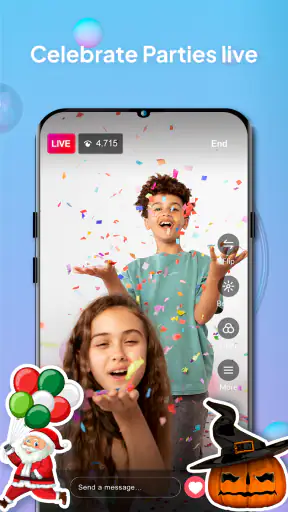
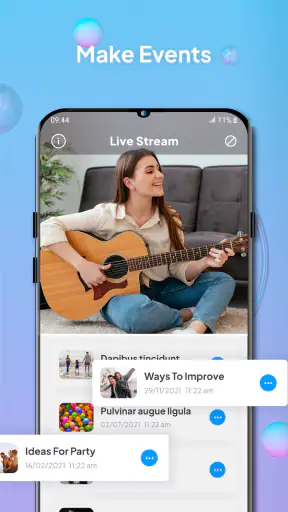
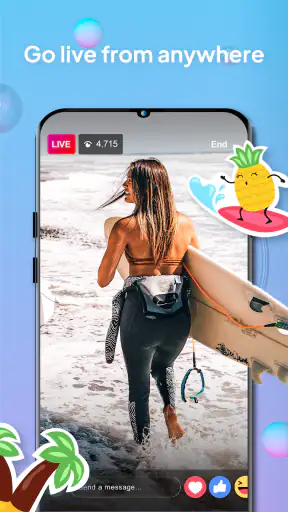
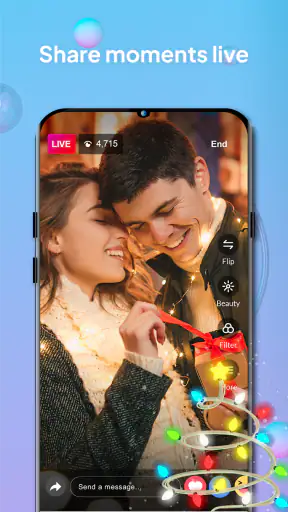
The app’s ability to stream events to Facebook can suit a small community gathering, a personal demonstration, or a casual event where a phone is the main camera. It is less convincing as a substitute for a dedicated production setup. Anyone who needs multiple camera sources, detailed scene layouts, advanced moderation, or dependable broadcast monitoring should compare it with a specialist live-streaming service instead.
Visible choices matter more than a promise of convenience
My trust in a social app comes from visible choices, not from assuming that a familiar-looking interface is harmless. When using this app, I would pay attention to every permission request, account prompt, and confirmation message. I would allow only what is necessary for the task I am performing at that moment, and I would revisit those choices later through the phone’s settings if I no longer use a feature.
I would also avoid signing in or streaming from a device that I do not control. A borrowed phone, shared tablet, or public network can introduce risks unrelated to the app itself. Keeping the operating system updated, using a screen lock, and signing out of accounts that are no longer needed are simple precautions, but they become more important when an app combines stored media with social publishing.
There is a useful difference between an app asking me to choose an action and an app encouraging me to do everything at once. I prefer to save first, inspect the result, and share later. That small pause gives me a chance to check whether the file is the one I intended, whether it contains private information, and whether I still want it on my device.
Data-sensitive moments I would handle carefully
The most sensitive moments are not necessarily the ones that look dramatic. A download may include visible usernames, private conversations, location clues, or other details that were not obvious in a quick preview. Before forwarding a saved clip, I would watch it from beginning to end and check the surrounding context. Cropping or avoiding redistribution may be more responsible than simply passing it along.
Live streaming creates another layer of exposure. Background conversations, children, documents, screens, and addresses can appear without warning. I would choose the camera position carefully, silence notifications, and do a short rehearsal before a real broadcast. If the event is in a home or workplace, I would ask people nearby whether they are comfortable being included. These are practical controls that do not depend on the app making decisions for me.
I would be particularly cautious with media involving health information, financial details, school activities, or identifiable strangers. The fact that a clip is easy to save does not make it appropriate to keep forever. My own rule would be simple: if I would hesitate to show the original creator or the people in the video that I saved it, I would not download or share it casually.
Storage is another everyday consideration. Saved videos can consume space faster than expected, especially when I forget about them after watching. I would review the downloads periodically, remove duplicates, and keep only the clips that have a clear purpose. This also makes the app easier to use because a smaller personal collection is quicker to browse than an unfiltered archive.
A practical routine for saving videos
My preferred workflow would be intentionally boring. First, I would identify the exact video and confirm that it is the one I want. Next, I would check whether saving it is appropriate and whether I have enough storage. I would then save it, open the result, and verify that playback works before leaving the original page. Finally, I would label or mentally group it by purpose, such as reference, family, event planning, or offline viewing.
This approach exposes one of the app’s likely trade-offs: a downloader is valuable only when the saved material remains manageable. If I collect everything, the benefit disappears into clutter. If I save selectively, the app can become a handy personal shelf for clips I genuinely expect to revisit.
I also would not assume that a saved video is a perfect archival copy. Platforms can change access, formats, or surrounding information, and a local file may not preserve the original comments or context. For important personal material, I would keep a separate backup and retain the source details where possible. That is a better strategy than relying on one app as the only place a meaningful video exists.
Live events: where preparation has the biggest payoff
For a small live event, I would prepare the phone before opening the broadcast controls. I would charge it, close distracting apps, check the connection, clean the camera lens, and position the device so that the subject stays visible. I would then confirm the Facebook destination and audience before starting. These steps sound basic, but they reduce the chance that a technical problem becomes a public one.
I would also appoint someone to watch comments or handle practical issues if the event matters. A single person trying to present, monitor the screen, answer viewers, and stop the stream can easily miss something. Video Stream & Reel Downloader may make the broadcast possible from a phone, but it cannot replace good event planning or a second pair of eyes.
For a quick personal update, that simplicity is a strength. I do not need a complicated studio to share a moment with friends. For a formal presentation, paid class, performance, or event where missed footage would be costly, I would choose a platform with stronger production and recovery tools. The right choice depends less on the app’s headline feature than on how much failure I can tolerate.
How it compares with familiar alternatives
Compared with using Facebook alone, this app is appealing when my main goal is to collect videos for later rather than only watch them inside a feed. Facebook remains the more natural choice for browsing conversations, interacting with posts, and managing a social audience. The app becomes more useful when saving and live sharing are the specific tasks I want to put first.
Compared with a browser-based downloader, a dedicated Android app can feel more direct because the workflow is built around a phone. However, I would be more cautious with any tool that asks for account access or handles personal media. A browser may be preferable for a one-time public download if I do not want another app installed, while Video Stream & Reel Downloader makes more sense for repeated use and a regular save-and-review routine.
Compared with a professional streaming application, it is likely the simpler option for casual Facebook broadcasts. That simplicity can be exactly what a family group, local club, or individual creator wants. It is not the choice I would make when I need advanced overlays, multiple inputs, detailed analytics, or a production team’s workflow. In other words, its value comes from reducing steps, not from trying to be a complete broadcast studio.
Who will appreciate it, and who should skip it
I would recommend trying it to someone who frequently discovers useful short videos, wants a more intentional way to keep them, and occasionally streams directly to Facebook. It can also suit people who prefer doing everything from an Android phone instead of moving between a browser, a file manager, and a separate streaming tool.
I would be more hesitant to recommend it to someone who rarely saves videos, dislikes connecting social accounts to third-party tools, or needs a highly polished live production. It is also not ideal for a person who wants a complete media library with sophisticated tagging, synchronization, and backup controls. In that situation, a dedicated storage service or media manager would probably provide a clearer long-term system.
Parents and people sharing devices should take extra care. The everyone age rating makes the app broadly accessible, but age suitability does not remove the need to supervise saved content, account connections, or live audiences. I would create clear household rules about what may be downloaded and shared, and I would check which account is active before any broadcast.
My cautious verdict
After looking at the app through the lens of control and trust, I see Video Stream & Reel Downloader as a practical, focused utility with a useful Facebook live-streaming option. Its free entry point makes it easy to test, while the optional in-app purchases mean I would pay attention to the exact feature or item being offered rather than assuming every function is included. The 4.0 average reflects a generally positive reception, but I would still judge it by my own workflow.
My recommendation is conditional: use it when saving selected videos and sending occasional live events to Facebook are genuinely useful to you, and keep each permission and audience choice intentional. Do not use it as an excuse to archive everything, expose people without consent, or replace a professional broadcast setup. The best experience comes from treating every save and stream as a deliberate decision, not an automatic tap.
For my own use, I would keep the app for occasional downloads, offline reference, and uncomplicated Facebook events. I would remove old saved files, review account connections, and avoid streaming sensitive surroundings. If that sounds like the kind of careful routine you are comfortable with, this social video app is worth trying. If you mainly want advanced broadcasting or a deeply organized media archive, I would choose a more specialized alternative instead.
FAQ
What is Video Stream & Reel Downloader used for?
Video Stream & Reel Downloader is designed to help users save compatible online videos and short-form reels for later viewing. After entering a supported link or using the app’s sharing option, the application may analyze the media and offer available download choices. Its exact capabilities depend on the source platform, video format, privacy settings, and the permissions granted on your device.
Is Video Stream & Reel Downloader free to download and use?
The application may be available to install at no initial cost, but some features can depend on advertising, in-app purchases, or a premium subscription. Before downloading, check the current store listing for pricing, trial conditions, and limitations. Free access may include restrictions such as download limits, fewer quality options, advertisements, or access only to basic downloading tools.
Which websites and video platforms are supported?
Support can vary between versions and may change when third-party platforms update their systems. Video Stream & Reel Downloader generally works only with publicly accessible content from compatible services, while private posts, restricted accounts, live streams, protected media, and certain websites may not be supported. Always review the app’s current compatibility information rather than assuming every video link will work.
Where are downloaded videos saved, and can they be watched offline?
Downloaded files are usually stored either inside the application or in a media folder that can be accessed through your device’s file manager or gallery, depending on the app version and operating system. Once a file has been successfully saved, it can normally be played without an internet connection. Storage availability, file format support, and iOS or Android restrictions may affect how easily files can be exported or shared.
Is it legal and safe to download videos with this application?
The app itself may provide a convenient technical way to save media, but users remain responsible for how downloaded content is used. Only download videos when you have permission or when the platform’s terms allow it, and avoid redistributing copyrighted material without authorization. For safety, install the official version, review requested permissions, avoid suspicious links, and keep your device and security software updated.
Pros
- Downloads videos and reels for offline viewing.
- Simple interface makes saving content quick and easy.
- Supports multiple video formats and quality options.
- Useful for keeping favorite clips available without internet.
- Fast sharing options for saved videos and reels.
Cons
- May not support downloads from every social media platform.
- Downloaded files can use significant device storage.
- Some features may require ads or in-app purchases.
- Content availability may change after platform updates.
- Users must respect copyright and creator permissions.